What is AI to a common man


There is much talk of AI among the common public. On one hand the common man hardly uses any AI enabled app or features and on the other hand there seem to be  a strong conviction that AI will do everything for him.

I am presently developing and maintaining a couple of web applications for database operations.

I hear , “why do yo need to make an application ? AI will do it for you.” Mostly such questions come from folks who don’t even use emails.

Does it mean I  just put in a request to ChatGPT , “please make an application for me”

Yes it is possible , but it would just  be the first question of a long series of a dialogue.

Then , what’s the cost for use of AI ? What will the developer charge you for getting your app done through AI ? Is he going to charge you less because he is using AI or is he going to add the cost of AI to your bill ?

Just as a computer does not work on its own, AI too does not read your mind and fulfil your desires.

It is powerful, it is versatile, it is very helpful for drawing pictures, drafting, coding, collecting and collating information , decision making and just about any of your day to day activities on a computer or a smart phone.

But you have to be doing something with your natural intelligence to begin with.

For someone to appreciate the power of AI , one should have to be used to googling. There was a time when there was a plethora of search engines . The novelty of the net was there, but even then it was getting frustrating to get any useful actionable information through these search engines. For eg if you wanted to know about motherboard , you were given all kinds of pages on mothers and boards, but nothing about a mother board as known in the computer world

Google changed all that and became the benchmark for search engines.

Yet , not all top results were relevant to your needs. One ended up browsing through a whole gamut of news, pictures and videos and clicking half a dozen links for commercials in the process.

It’s in the  light of our experience with search engines, one needs to look at  an AI app like ChatGpt or Deepseek. The AI app too depends on its database for the output just as the search engines.

How can AI help you and me in our day to day work.  The answer would depend on what you are doing today without the help of AI, using only your natural intelligence.

Obviously the job of brushing your teeth can’t be delegated to ChatGPT.  Are you drafting letters? Do you work with graphics or drawings? Do you collect and collate information on a regular basis ? AI can help you in all these areas .

How is it different from googling ?

A search typically throws up about 20 million results in 20 seconds. Then you are left to browse laboriously through tonnes of relevant and not so relevant material to find what you want.

A question to an  AI app gives you a concise summary of a typical Google search.

If a search engine were like a librarian who points at the relevant subject rack or shelf, and AI app is like a research assistant who studies the material and gives you a gist.

What fascinates me is that AI actually fills in the gaps of my own inadequacy in many areas.

My language is too academic or terse. I give my writing to ‘perplexity‘ and say ‘hi make it more casual’ ….and it does ! You will no more recognise your own style in the text.

I write bad code. I can just copy paste it on to grok site and ask ” would you please fix the errors and give me good code? “

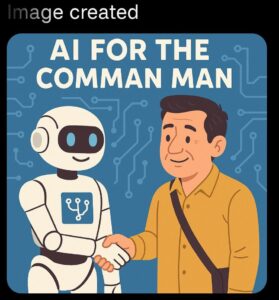
I am no artist. I tell the app , ” please draw a cartoon for my blog”.  The pictures displayed in this blog are all AI generated.

So, you can compose music like AR Rahman with a tone deaf ear ; write like Shakespeare after failing in high school English and draw like Michelangelo, with no taste for colors or proportions.

Fun isn’t it ?

Then why do you need AR Rahmans at all ? Let’s ask AI.

That’s the bottom line from Gemini

Final Thought: AI isn’t going to kill artist careers. But artists who refuse to evolve at all might find themselves frustrated by the shifting landscape. The key is using technology on your own terms—in a way that supports your creativity rather than replacing it. So no, AI won’t write a song like you can.

Very aptly put; leverage technology in your own terms to evolve; whatever your doing with your natural talent, you can do better with AI. In areas where you lack talent, you can lean on AI for help.

But then, as we see around us,  without application of their natural intelligence Artificial Intelligence is of no use and most people don’t go beyond WhatsApp forwards.

Well if you are happy doing what you do without the help of AI, just carry on that way.

Recently I saw some senior citizens who went into panic mode (thanks to the ubiquitous   Whatsapp forwards) that their data would be stolen by AI  if they don’t take such and such actions !

As common folks, let’s not worry about the global economy or the threat to employment prospects or not even data theft for we can’t do much about it.   Just have fun with AI. Don’t take it seriously;  just have fun.

“Ask meta to draw a cow sitting on your drawing room sofa; ask ChatGPT for a joke on senior citizens; ask any wild questions and let go your imagination and have fun”




WordPress Vs DIY Web site

Information technolgy is a field that’s ever expanding, touching every industry , every activity of the commerce, education, administration , the world over.

India , surprisingly has taken to digital transactions and e commerce like fish to water. A kirana store in Kerala is taking orders and supplying to buyers at Madhya Pradesh. Bhanwari lal halwai, Mhow has pan India clientele because of e-commerce.

All these activities require good programmers for design , development and maintenance of web sites. No country has even a small fraction of the number of  people required with aptitude for coding. Even if they do have, it’s just not possible to find time for so many businesses, so many websites and web applications.

So what we have today are  tools to automate design and development of software.

Gone are  the days when men were men  and did their own coding.

Welcome to the world of drag and drop development with zero knowledge on HTML / MySql /CSS/ Javascript /PHP and languages  that were once like mother tongue for a developer.

WordPress started as an open source CMS for bloggers. Now it has expanded into other fields to the extent that 70% of web sites today are powered by word press.

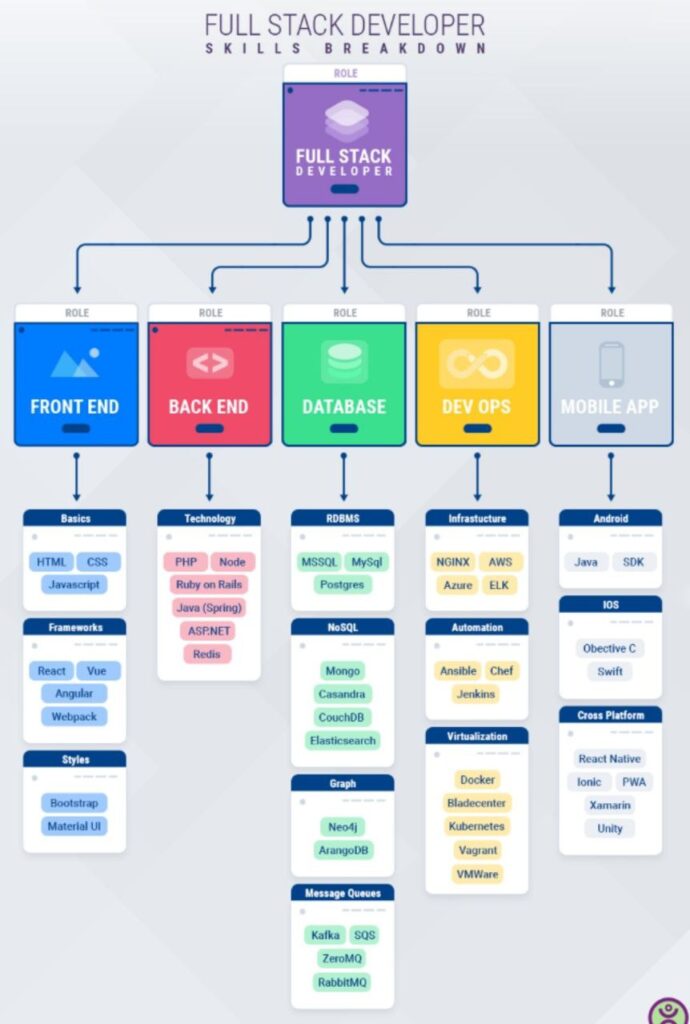
A word about web site development. Skills required for developing a web site includes knowledge of Front end , Back end, Database , Dev OPs and Mobile App.

Someone who does everything is a full stack developer .

Now coming back to word press, it is a free of cost  platform that facilitates a novice to create a complete web application in an hour or two , what a full stack developer with five years experience may do in two months.

All hunky-dory, right ? It’s not always so .

Now let us compare wordpress site vs a DIY customised application.

You will find a number of articles on the subject , I stick to my own experience in the field. As some one who has moved on from dbase to foxbase / foxpro /ms access and mysql I have always  loved learning database .  HTML and CSS  have  been a  pain to learn ; an unavoidable pain . But there is no front end without HTML and css and front end is all that people see.

After a long night of coding in php to achieve  that wonderful, intricate  calculation for producing a balance sheet , all you hear on the next day from a user is that ” why can’t that column be aligned a little more to the right ?”. Front end is all that people see; and the efficiency of an application depends on the code behind , that people don’t see.

php as a scripting language is also fun learning as it works wonderfully well with mysql; a great couple that can produce absolute magic when waltzing together in harmony.

A Tabulation  Word Press Vs DIY

Word Press DIY
1. Time to develop If you want to start an e-commerce business, in a day or two you can set up your web site and  start selling right away. Will need a couple of discussions between the developer and user just to understand the requirements. Will take a month or two.
2 Customizability Very limitted Sky is the limit
3 Adding features Depends on plugins to add features. Can be done on the fly with the right plugins A skilled programmer can add features on the fly.

But mostly it takes a day or two.

4. Maintainability Requires a deep understanding of WordPress and when something goes wrong, it is extremely difficult to detect. Very easy if the documentation has been done right.
5. Size Bulky and can become unwieldy very fast  if not cleaned up regularly. Absolutely light and easy to keep it so.
6. Appearance Often, looks can be awesome as it just involves installing an awesome theme; but changing the color a shade up or down can be next to impossible. Requires front end skills that not everyone can master easily. These days people like me depend on frameworks like Bootstrap for front end design.
7. Upgradation WordPress version gets regular upgrades. Each plugin is upgraded separately. If for some reason a plugin is not being maintained by the author, it can lead to compatiblity issues. only php version needs to be upgraded and some functions in the code may be required to be modified. But rarely requires an upgrade.
8. Website Speed It works very well when there are no compatibility issues between theme and plugins. When there is a problem it can drastically bring down the speed. Can be very fast .
9. Database the entire database is created, populated and maintained by WordPress and its plugins. Since it has to cater for a wide range of applications , the number of tables are very high. I am aware of an e commerce application having about 230 tables with only six of them being used.

Uses a complex method to store data.

Often the number of tables are very few and all are in use by the application .

uses a simple method to store data.

The write up would not be complete without a brief on plugins.

WordPress is written in php and uses MySql for its database. WordPress is written for blogging and so the database is created to hold contents like posts , category,comments etc.

For diversifying into applications like E commerce or education , the same model is used and every input is stored in tables . Since these tables as required are not avilable by default , a plugin for  say e commerce creates these tables and also code snippets for data handling.

For other functions like forms, you have more plugins with code snippets. Since these code snippets are produced by different developers over different periods of time , compatibility is most important. 

Most plugins use existing tables and that’s how you find some tables with over 200,000 records and occupying about 100 mb. It slows down the system. The solution is not to just delete old records but to weed out the debris left behind by some plugins unused or later removed.

The WordPress environemnet along with its 30-40 plugins is like an office with 30-40 members of staff each doing his job. Some plugins are created keeping in view the design of other plugins while some are designed as stand alone .

In short , a web application created using WordPress can be like an office where three or four members of staff don’t talk to each other at all and hence would not know what the other is doing. There would also be three four members who always keep talking to each other only to fight for system resources.

When these plugins work in harmony , well integrated to the installed theme , it’s sheer Music !


A Primer on Web Site Speed

This is a common refrain that a particular website is too slow to work on.

Some blame their computers, some the ISP(Internet service Provoder) and there are people who blame the web site itself ,may be , rightly so.

Here I would stick to the web site issues only. How to isolate that ?

The easiest way to confirm if the problem lies with the website is to go to

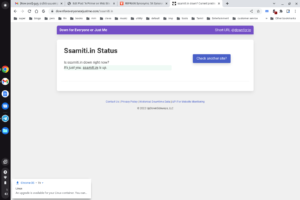
https://downforeveryoneorjustme.com/

The url is aptly named as “Down for everyone or just me ?”

The page displays a box where you enter the url and click and you get the report instantly. Slow sites are also catgorised as down as it has a time out feature.

Once you have confirmed that the problem lies with the web site , let us try to understand what could be the problem.


Ease of accessibility of a web site depends on the servers installed.


1. Web server – serves web pages .
2. Database server – serves data.
3. Email server …provides email services.
4. Scripting languages…the most important aspect to decide the speed of transactions on the web site.

1. Web server.

Even a shared hosting can easily support 500 hits , 50 of them concurrent.
( My web site on which you are reading this page can easily support 500 users though it is shared web hosting ; it’s a different matter that my blog posts are read once in 1000 days!  🙂 )

2. Database server .

Need to design the database correctly. ( Nowadays most of the data driven web applications use WordPress. WordPress  is inherently less efficient because of too many plugins and each plugin needs to be checked . Removed plugins also leave  debris behind and need to be cleaned. )

A customised application based on php mysql is always superfast as compared to wordpress sites. 

3. Email server . Normally no problems are faced unless there is too much spamming or the system is  infected with worms.

4. Scripting language .

php and python , perl etc are scripting languages  that act as interface between front end and the backend. Once you understand this , let’s say in a restaurant parlance , you wont be increasing the kitchen area or the dining area when you know, it is an errant waiter who is slowing down the services. You would just change the waiter or just set him right.

One bad script can stall the whole server. When a server gets slow ,this is where one should first look.

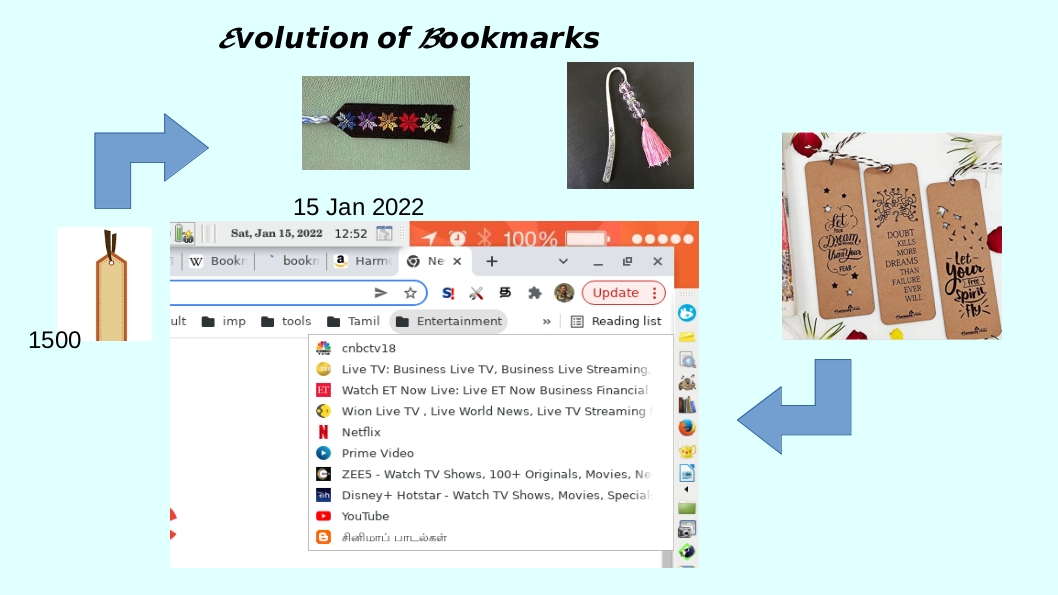
Evolution of Bookmarks

A bookmark marks a page in a book ;  obvious, isn’t it ? But that was yesterday. Today , a bookmark marks not a page in a book but a web page in the Cyber-sphere. Done creatively, It can also be used to mark  the part of your day or a place in a project ; be it an individual project or  a group project.
Going back to conventional bookmarks, in case you are doing some deep study, you use multiple bookmarks on scholarly articles. In army, clerks and staff officers (glorified clerks) put in  insane efforts in placing multi-color bookmarks on Govt files , all neatly labelled in some order like marching troops and we call it flags.  Most likely the practice is still in vogue , but rest of the world has moved on.

Digital world is so different. Sometimes while reading a book, I wish there was  search button somewhere.  If you think I am kidding , try reading War and Peace . Remembering one Russian name is challenging enough but to keep track 500 Characters would be the ultimate test for memory. When  you are studying a report on a Kindle , it’s so easy to highlight, add notes and compile, all that on the fly, and send to printer.

Surely, Bookmarks have gone beyond books. It is World Wide Web, that is one large repository of facts and views stored in the form of audio,video or text. To keep track of the resources one would need thousands of bookmarks. Even if you had ten arms like Ma Durga , It would be far too less to keep all available resources at your finger tips.

Fortunately with a little effort one can organize the URLs into nested bookmarks folders. There is really no limit to the number of links you can store; the obvious issue is that the more bookmarks you have , the more you  end up with a need to bookmark your bookmarks for ease of use!

Though there are a number of applications to manage bookmarks, The built-in Bookmark managers in browsers are more than adequate. A google-chrome has a good one and one can easily import , export and store the bookmarks for short term or long term use in one or more device.

But then , I suppose, one of the monthly tasks should be to explore for new resources, at least in areas of your interest.The chrome bookmark bar can also be used to categorize the links into daily tasks , weekly tasks, monthly  tasks etc to ensure that you don’t miss out checking your investment  portfolio or   news-feeds. There are many pages you have to visit though you don’t like to ; and a check list would certainly come in handy.

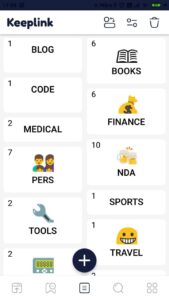
Smartphones also have some nifty apps to collect links to URLs  Keeplink is one such app I use.

If done rightly, one never needs to type a URL or google for a link . The only drawback, I can see,  in this approach is that you may get so content with a limited ( limited to about 200 links) set of links and lose out on the new resources.

But then , I suppose, one of the monthly tasks should be to explore for new resources and update your bookmarks, at least in areas of your interest.


Attaining Software Nirwana

Porteus OS running off a USB Stick

A few days back I was lamenting about the demise of Desktop and Laptop computers in personal space. But despite the dominance of tablets and smart phones there are still some die-hard users of personal computers . For someone who spends a lot of time on her personal computer (not the one issued by the employer for office work), there is always the lurking fear of losing data and more importantly the fear of losing the kind of settings and configuration achieved over years.

When a computer boots smoothly and when every application is working in harmony with no conflict or friction it is sheer poetry or a ballet dance. There are no warnings, error messages  or undue delay ; it is just harmony and grace that you experience with every click . Even an anti virus shield , ostensibly to protect your computer can be a big nuisance, impinging on the processing power and memory , slowing down the whole system. The full power of all resources should be used for productive effort and not for  monitoring your own applications or files for  viruses or doing for-ever searches for some non-existent malware.

Whatever you need to do should be available at a right click; be it resizing an image, playing some music,convert to a different format  or printing  a booklet in the size you want. These tasks should not require a huge overhead but should be done with minimum system resources, in the background. Mostly such configurations are achieved through customized scripts .

Over years you end up with a customized system that you fall in love with. You simply don’t want to use any other system. Yet nothing is permanent. Gautama Buddha said  Change or impermanence is the essential characteristic of all phenomenal existence. So is it with your computer system. Bad things happen to good computers. Hard disks can crash for no fault of yours. There are times an user commits a digital harakiri by wiping off his own critical data or even a whole disk in the process of regular maintenance. 

That’s when one longs for  software nirwana. You can have a back up and back up to back up, on your hard disk, in the cloud and so on. That is ok for the data; for your audio, video and graphic files, but what about those wonderful themes you have set for your applications, the settings, configurations, passwords, aliases and scripts ? What about those rare third part applications you have collected over years ?

Boot-repair to your rescue

It would be good if you can have a portable device to save all settings too. You should have a portable device with which you can boot into any old computer, Linux, Mac or even Windows; 32 bit or 64 bit Architecture ; and turn that computer into your own ,only  for the period that you want to use it. On shutdown it is restored to its old ugly self ! This device along with another device, may be to store your data would get you to the ultimate Software Nirwana. 

After a lot of research followed by trial and error  I created a multiboot USB drive with four different operating systems. Porteus is one of the fastest, lightest OSs while Bodhi Linux is a complete light weight Installation for software nirwana  and it is aptly named “Bodhi Linux”. Boot-repair Disc, yes, you guessed it right; repairs the booting system!

That’s 2016 Bodhi Linux livening up a 2008 vintage Lenova Laptop

Bodhi Linux with Moksha Desktop and Swami Panel can  give you the Ultimate Software Nirvana.

In the next post , I’ll attempt an How-to on creating a multi-OS boot USB Stick.

Cheers !